Multi-step customer journeys on autopilot
Nurture subscribers from day one to renewal. Build multi-email onboarding series and reactivation drips with time delays, business-hour sending, and exit triggers.
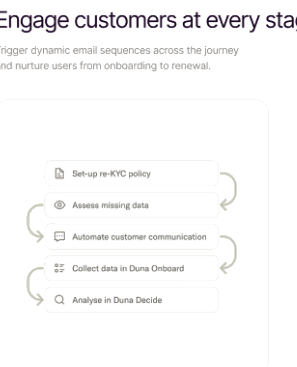
Flow sequence builder
Time zone delivery windows
Goal exit conditions
Engineered for developer velocity
Time delays & windows
Hold messages for 2 days or wait until 9:00 AM in the recipient's local time zone before sending.
Conditional branching
Fork paths based on whether the recipient opened the previous email, clicked a link, or completed a goal.
Exit on conversion
Automatically remove users from onboarding sequences the moment they upgrade or activate.
How it works
Create sequence flow
Assemble onboarding or re-engagement steps in the drag-and-drop workflow canvas.
Configure timing & rules
Set delay periods, business hour delivery rules, and target conversion criteria.
Activate and track
Turn on the sequence and monitor drop-off rates, conversion milestones, and open metrics.
Explore related features
Behavioral triggers
Trigger automated messages when users sign up, complete onboarding milestones, reach usage limits, or become inactive.
Dynamic audience segmentation
Target specific customer subsets based on engagement scores, lifecycle stage, signup dates, and custom database properties.
Unsubscribe compliance
One-click List-Unsubscribe RFC headers, customizable preference centers, and automatic global suppression to protect your reputation.
Ready to build with Automated multi-step sequences?
Join thousands of engineering teams delivering transactional and lifecycle email with blazing speed and zero downtime.